
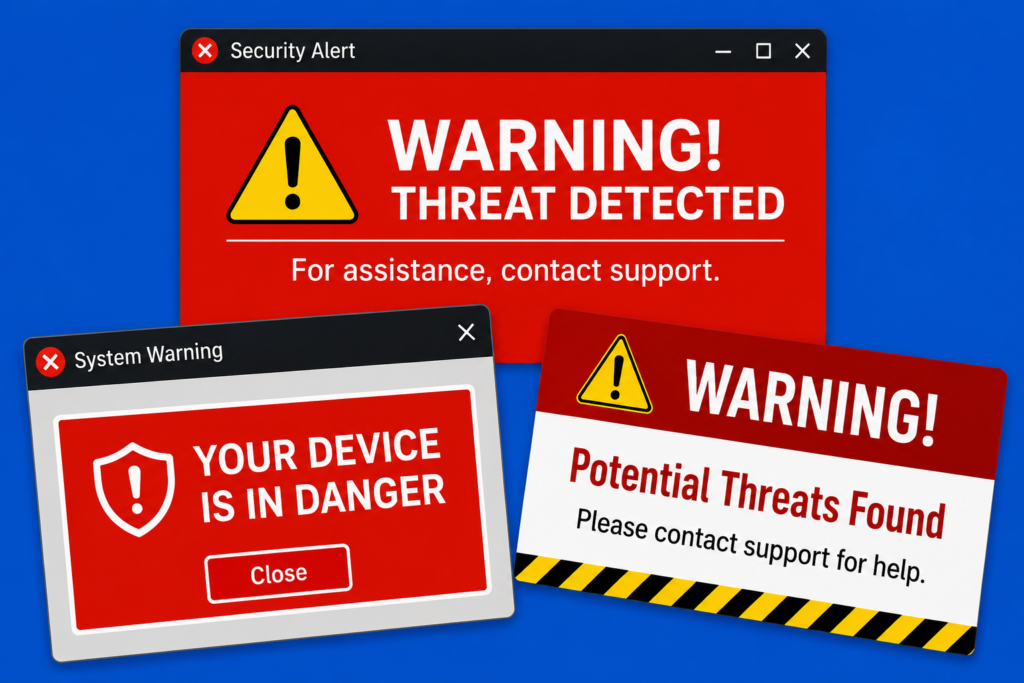
Scam popups are one of the oldest internet tricks in the book, but they still fool millions of people every year. These fake warnings often claim your computer is infected, hacked, or “critically damaged” in order to scare you into clicking a button, downloading software, or calling a fake support number. The good news is that most scam popups are more annoying than dangerous if you know how to respond. Learning a few simple habits can protect your computer, your passwords, and even your bank account from online scammers.
“WARNING! Your computer is infected!”
“Call Microsoft immediately!”
“Your banking information has been compromised!”
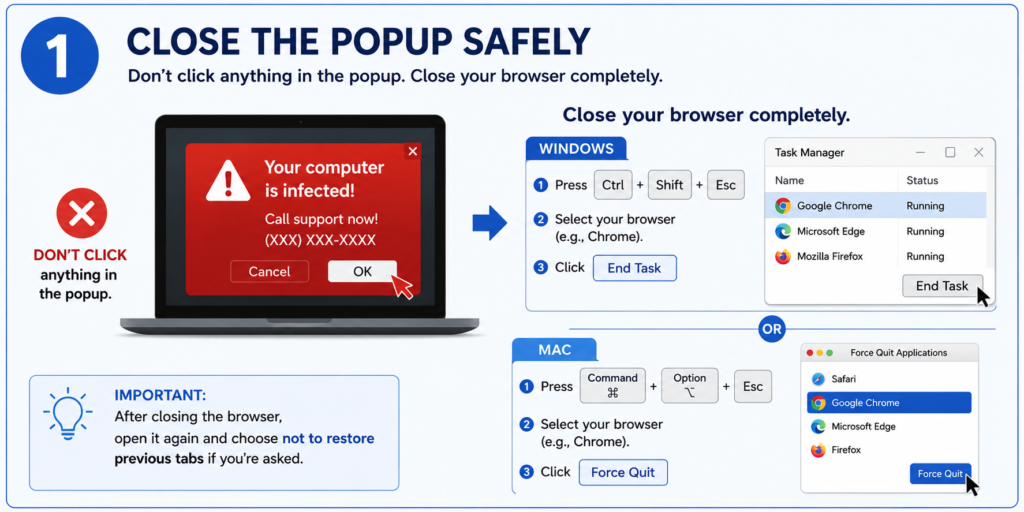
The first step you should do when a scam popup appears is avoid clicking anywhere inside the message. Many fake alerts are designed so that even the “X” close button can trigger another popup or download. Instead, close your web browser completely. On Windows, you can press Ctrl + Shift + Esc to open Task Manager, select your browser, and click “End Task.” On a Mac, press Command + Option + Escape and force quit the browser. Once the browser is closed, reopen it carefully and choose not to restore previous tabs if the browser asks. This stops the fake popup from reopening automatically.
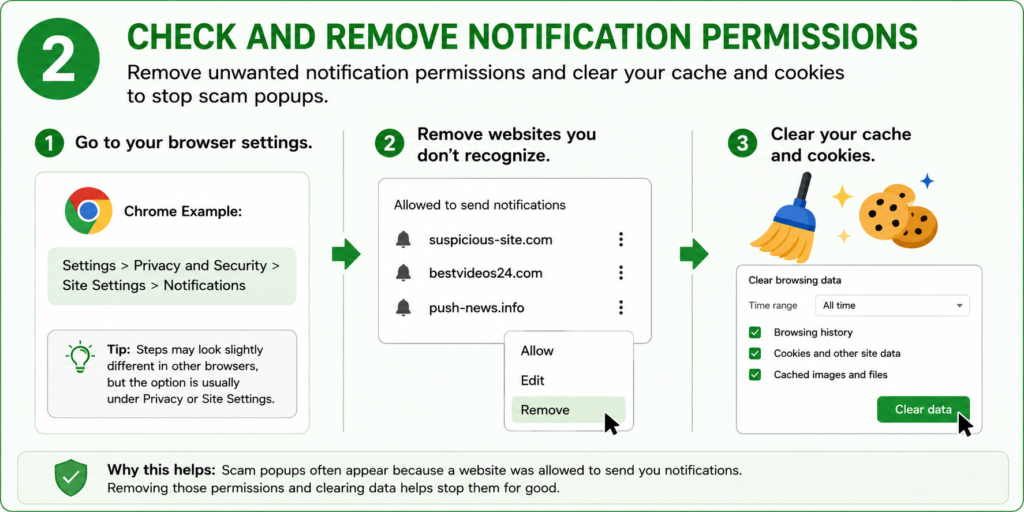
Step 2, check your browser notifications and remove suspicious permissions. Many scam popups appear because a website tricked someone into clicking “Allow Notifications.” In Google Chrome, go to Settings > Privacy and Security > Site Settings > Notifications and remove websites you do not recognize. In Microsoft Edge or other browsers, the process is similar. While you are there, clear your browser cache and cookies to remove tracking files and potentially harmful website data. This simple cleanup often makes a huge difference and can stop repeated popup attacks immediately.
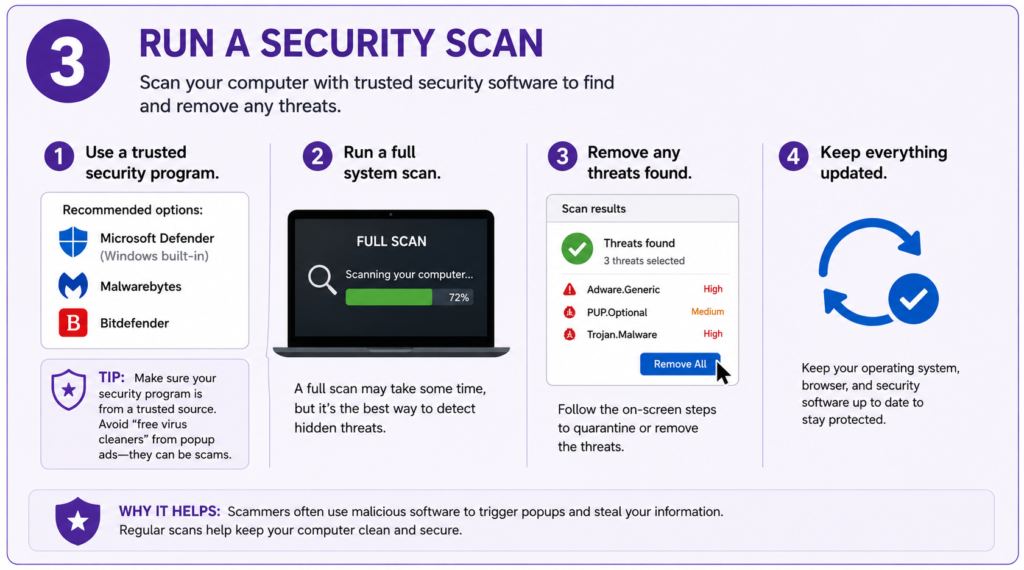
Step 3 is running a trusted antivirus or anti-malware scan on your computer. Programs like Microsoft Defender, Malwarebytes, or Bitdefender can detect harmful software that may have been installed accidentally. Make sure your computer and browser are fully updated as well, since updates often patch security holes scammers try to exploit. Avoid downloading “free virus cleaners” from random popup ads because many of them are scams themselves. If a popup tells you to call a phone number immediately, treat it like a giant red flag waving in your face.
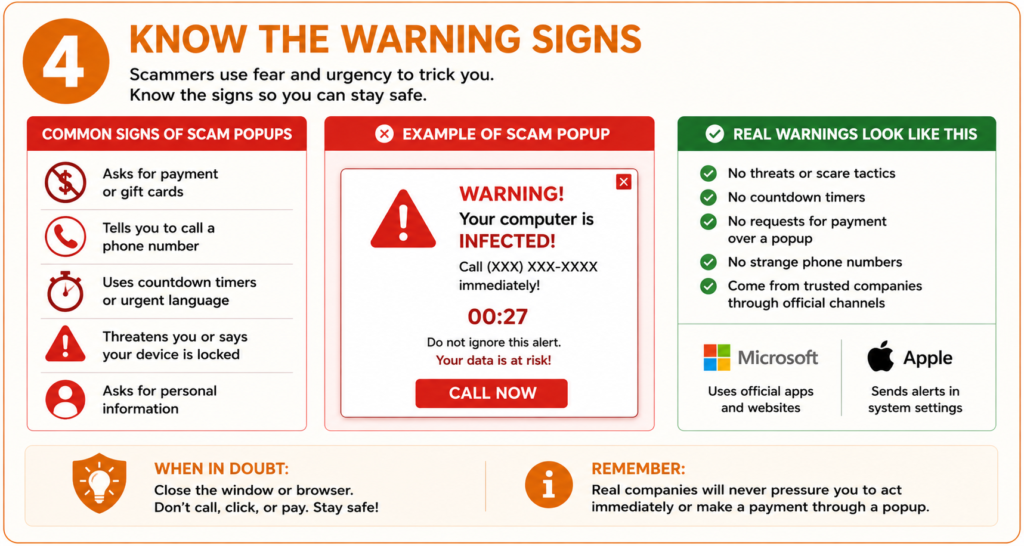
Step 4 is all about learning how to recognize fake warning signs before scammers trick you into clicking something dangerous. Scam popups often use fear tactics like flashing red alerts, countdown timers, fake virus warnings, or messages demanding immediate action to make people panic. Many will tell you to call a phone number, buy software, or send payment through gift cards or credit cards. Real companies like Microsoft or Apple do not lock your computer through a popup or pressure you to act immediately. If you see a warning that looks suspicious, stay calm, do not click anything inside the popup, and close your browser safely instead.
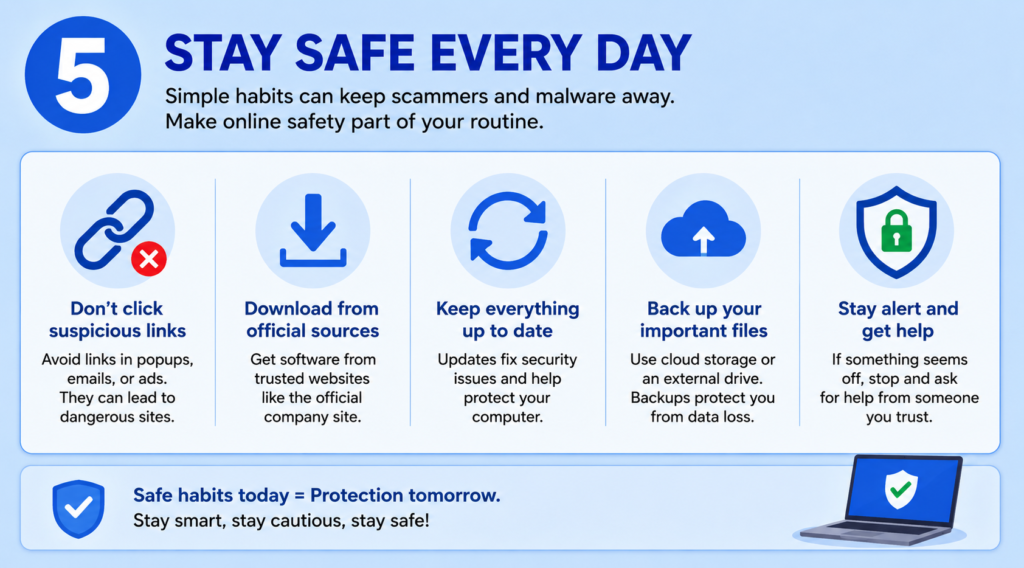
Step 5 focuses on building safe online habits that help protect your computer every day. Simple actions like avoiding suspicious links, downloading software only from official websites, keeping your system updated, and backing up important files can dramatically reduce your chances of falling for scams or malware attacks. Cybercriminals often look for easy targets, so staying alert and cautious while browsing the internet is one of the best defenses you can have. Think of online safety like locking the doors to your house — a few small habits can prevent a lot of problems later.
Don’t Let Scammers Win
Scam popups are designed to create panic, but staying calm is your best defense. Real security warnings from companies like Microsoft or Apple will never demand immediate payment, ask you to call a strange number, or threaten you with dramatic countdown timers. Once you know the warning signs, these scams become much easier to spot and avoid. Think of scam popups like internet mosquitoes: annoying, persistent, and best handled quickly before they bite.
By following these five simple steps, you can greatly reduce the chances of scam popups infecting your computer or stealing your personal information. Most scam warnings are designed to create panic, but staying calm and knowing what to look for gives you the upper hand. Regularly checking your browser settings, updating your software, and practicing safe browsing habits can keep your device running safely and smoothly. The internet is full of helpful tools and information, but it also has traps designed to fool unsuspecting users. A little awareness and caution today can save you from major headaches, lost data, and expensive problems tomorrow.